Simplifying Financial Management: A Complete Guide to Xero Cloud Accounting Software

Simplifying Financial Management: A Complete Guide to Xero Cloud Accounting Software

Financial management has traditionally been one of the more challenging aspects of running a business. Between tracking income and expenses, managing invoices and payments, reconciling bank accounts, and ensuring tax compliance, the administrative burden can be overwhelming, particularly for small business owners who are already juggling multiple responsibilities.

Cloud-based accounting software has fundamentally changed this landscape, making sophisticated financial management accessible to businesses of all sizes. Xero has emerged as one of the leading platforms in this space, offering a comprehensive suite of tools that simplify financial administration whilst providing real-time visibility into business performance.

Understanding Cloud-Based Accounting

The Shift from Desktop to Cloud

Traditional desktop accounting software required installation on specific computers, with data stored locally on those machines. This approach created several limitations: you could only access your financial data from specific locations, collaboration was difficult, backups were manual and often neglected, and software updates required manual installation.

Cloud-based accounting represents a fundamental shift in how financial software operates. Rather than installing software on your computer, you access the application through a web browser, with all data stored securely in the cloud. This architecture delivers several significant advantages.

Accessibility is perhaps the most immediate benefit. You can access your financial data from anywhere with an internet connection, whether that's your office, home, or whilst travelling. This flexibility is particularly valuable in an era where remote work has become increasingly common.

Automatic updates ensure you always have access to the latest features and security patches without any manual intervention. When Xero releases new functionality or updates, it becomes available to all users immediately.

Collaboration becomes seamless when all stakeholders access the same real-time data. Your bookkeeper, accountant, and business partners can all work in the system simultaneously, seeing updates instantly rather than exchanging files back and forth.

Data security is actually enhanced rather than compromised by cloud storage. Reputable cloud accounting providers invest heavily in security infrastructure, including encryption, redundancy, and disaster recovery capabilities that would be prohibitively expensive for individual businesses to implement.

Key Features of Modern Cloud Accounting

Modern cloud accounting platforms like Xero offer a comprehensive range of features that address virtually all aspects of financial management for small to medium-sized businesses.

Bank feeds automatically import transactions from your bank accounts, eliminating manual data entry and ensuring your records stay current. These feeds typically update daily, providing near real-time visibility into your cash position.

Invoicing tools allow you to create professional invoices quickly, send them electronically, and track their status. Automated reminders can be sent to customers with overdue invoices, improving cash collection without manual follow-up.

Expense tracking capabilities allow you to record and categorise business expenses, attach receipt images, and track spending against budgets. Mobile apps enable you to photograph receipts and record expenses on the go, ensuring nothing gets lost or forgotten.

Bank reconciliation, once a tedious manual process, becomes largely automated. The software matches imported bank transactions to recorded invoices and bills, with most transactions reconciling automatically based on rules you establish.

Financial reporting provides instant access to key reports like profit and loss statements, balance sheets, and cash flow statements. These reports update in real-time as transactions are recorded, giving you current visibility into business performance.

Multi-currency support allows businesses that deal with international customers or suppliers to manage foreign currency transactions, with exchange rates updated automatically.

Core Xero Capabilities

Automated Bank Feeds and Reconciliation

Bank feeds are one of Xero's most valuable features, dramatically reducing the time required for bookkeeping whilst improving accuracy. Once you connect your bank accounts to Xero, transactions flow automatically into the system each day.

The software uses bank rules to automatically categorise and reconcile transactions based on patterns you establish. For example, you might create a rule that automatically categorises any transaction from your internet service provider as "Telecommunications" and reconciles it to the appropriate expense account.

Over time, as you create more rules and the system learns your patterns, an increasing percentage of transactions reconcile automatically. Many businesses find that 80% or more of their transactions eventually reconcile without manual intervention, leaving only unusual or complex transactions requiring attention.

The reconciliation interface is intuitive, showing unreconciled bank transactions alongside recorded invoices and bills. Matching transactions is typically as simple as clicking a button, with the software suggesting likely matches based on amounts and dates.

Invoicing and Accounts Receivable

Xero's invoicing capabilities allow you to create professional, branded invoices in minutes. You can set up templates that include your logo and branding, establish default payment terms, and save frequently used items for quick selection.

Invoices can be sent directly from Xero via email, with customers receiving a PDF invoice and a link to view and pay online. This online payment capability, integrated with payment processors like Stripe or PayPal, makes it easy for customers to pay immediately, improving cash flow.

The system tracks invoice status automatically, showing which invoices have been sent, viewed, and paid. Automated reminders can be configured to send to customers when invoices become overdue, following up without requiring manual intervention.

For businesses with recurring revenue, repeating invoices can be set up to generate and send automatically on a defined schedule. This is particularly valuable for subscription-based businesses or those with regular monthly clients.

Bill Management and Accounts Payable

Managing supplier bills and payments is equally streamlined in Xero. Bills can be entered manually or, with tools like Dext, imported automatically from email or photographed receipts.

Once bills are recorded, you can schedule payments and track what's due. The system shows your upcoming payment obligations, helping you manage cash flow and ensure you don't miss payment deadlines.

Batch payment functionality allows you to pay multiple bills simultaneously, with payment files generated in formats compatible with most banks' online banking systems. This eliminates the need to enter each payment individually through your bank's website.

Inventory Management

Whilst Xero includes basic inventory tracking capabilities, businesses with significant inventory typically benefit from integrating dedicated inventory management software. Xero's native inventory features allow you to track stock levels, set reorder points, and value inventory using various costing methods.

However, for businesses with multiple locations, complex manufacturing processes, or sophisticated inventory requirements, integrated solutions like Dear (Cin7 Core) or Unleashed provide more comprehensive functionality whilst maintaining seamless integration with Xero for financial reporting.

Reporting and Business Intelligence


Standard Financial Reports

Xero provides all the standard financial reports businesses need for management and compliance purposes. The profit and loss statement shows revenue and expenses over a specified period, revealing whether the business is profitable. The balance sheet displays assets, liabilities, and equity at a point in time, showing the business's financial position.

Cash flow statements track the movement of cash in and out of the business, distinguishing between operating activities, investing activities, and financing activities. This report is crucial for understanding liquidity and cash management.

Aged receivables and payables reports show outstanding invoices and bills organised by how long they've been outstanding. These reports are essential for managing collections and ensuring you pay suppliers on time.

All reports can be customised by date range, filtered by various criteria, and exported to Excel or PDF for sharing or further analysis.

Real-Time Dashboard

Xero's dashboard provides an at-a-glance view of key business metrics. You can see your current bank balances, outstanding invoices, upcoming bills, and recent transactions all in one place.

The dashboard is customisable, allowing you to add widgets for the information most relevant to your business. This might include cash flow forecasts, expense trends, or key performance indicators specific to your industry.

Having this real-time visibility into business performance enables faster, more informed decision-making. Rather than waiting for month-end reports, you can see current performance at any time.

Advanced Reporting with Add-Ons

Whilst Xero's native reporting is comprehensive, businesses seeking more advanced analytics often integrate additional reporting tools. Applications like Fathom provide sophisticated financial analysis, including ratio analysis, trend identification, and benchmarking against industry standards.

These tools can generate executive-level reports that present financial information in more accessible formats, making it easier for non-financial stakeholders to understand business performance.

Integration Ecosystem

Extending Xero's Functionality

One of Xero's greatest strengths is its extensive ecosystem of integrated applications. With over 1,000 add-ons available in the Xero App Marketplace, businesses can extend Xero's functionality to address virtually any specific requirement.

These integrations are possible because Xero provides robust APIs (application programming interfaces) that allow other software to connect and exchange data seamlessly. When properly configured, these integrations create a unified system where data flows automatically between applications, eliminating manual data entry and ensuring consistency.

Common Integration Categories

Point of sale systems integrate with Xero to automatically record retail sales, with daily summaries flowing through to the accounting system. This eliminates manual entry of sales data and ensures accurate revenue recording.

E-commerce platforms like Shopify, WooCommerce, and Magento can connect to Xero, automatically creating invoices for online orders and recording revenue. This integration is essential for businesses selling online, as manual entry of potentially hundreds or thousands of transactions would be impractical.

Inventory management systems, as mentioned earlier, provide sophisticated stock control whilst maintaining integration with Xero for financial reporting. These systems handle the operational aspects of inventory management whilst ensuring that inventory values and cost of goods sold are accurately reflected in financial statements.

Payment processing integrations with services like Stripe, PayPal, and GoCardless allow customers to pay invoices online, with payments automatically recorded and reconciled in Xero. This improves cash flow and reduces administrative work.

Expense management tools like Dext automate the capture and processing of receipts and bills, extracting data and creating transactions in Xero automatically.

Time tracking and project management applications allow businesses to track time spent on client projects, automatically generating invoices based on billable hours. This is particularly valuable for professional services firms.

Payroll systems integrate with Xero to record payroll expenses and liabilities, ensuring that employee costs are accurately reflected in financial statements.

Selecting and Implementing Integrations

With so many integration options available, selecting the right ones for your business requires careful consideration. Start by identifying specific pain points or inefficiencies in your current processes. Which tasks consume the most time? Where do errors most commonly occur? Which processes involve manual data entry between systems?

Once you've identified areas for improvement, research available solutions that address those specific needs. Read reviews, compare features and pricing, and where possible, take advantage of free trials to test functionality before committing.

Implementation of integrations should be approached systematically. Ensure you understand how data will flow between systems, what information will be synced, and how often synchronisation occurs. Test thoroughly before relying on the integration for live business operations.

Mobile Access and Flexibility

Xero Mobile Applications

Xero provides mobile applications for both iOS and Android devices, allowing you to manage key financial tasks from your smartphone or tablet. Whilst the mobile apps don't include every feature available in the web application, they cover the most common tasks business owners need to handle on the go.

You can create and send invoices from your mobile device, useful when you complete work at a client site and want to invoice immediately. Expense recording is particularly well-suited to mobile, allowing you to photograph receipts and record expenses as they occur rather than collecting receipts to process later.

Bank reconciliation can be completed from mobile devices, allowing you to keep your accounts current even when away from your desk. You can also view key reports and dashboard information, giving you visibility into business performance wherever you are.

Benefits of Mobile Access

Mobile access to financial data provides several practical benefits beyond just convenience. The ability to invoice immediately upon completing work improves cash flow by reducing the delay between service delivery and payment request.

Recording expenses as they occur, rather than trying to remember and process them later, improves accuracy and ensures nothing gets forgotten. The ability to photograph receipts immediately also means you're less likely to lose them.

For business owners who travel frequently or work from multiple locations, mobile access ensures they can stay on top of financial management regardless of where they are.

Security and Data Protection

Xero's Security Measures

Security is a common concern when businesses first consider moving to cloud-based software. However, reputable cloud accounting providers like Xero implement security measures that exceed what most individual businesses could achieve with locally stored data.

Data encryption protects information both in transit (as it moves between your device and Xero's servers) and at rest (whilst stored on Xero's servers). This encryption ensures that even if data were intercepted, it would be unreadable without the encryption keys.

Multi-factor authentication adds an extra layer of security beyond just passwords. Even if someone obtained your password, they couldn't access your account without also having access to your mobile device or email for the second authentication factor.

Regular security audits and penetration testing help identify and address potential vulnerabilities before they can be exploited. Xero undergoes regular independent security assessments and maintains various security certifications.

Data redundancy ensures that your information is backed up across multiple locations. If one data centre experiences issues, your data remains accessible from other locations. This redundancy also protects against data loss from hardware failures or disasters.

User Access Controls

Within Xero, you can control who has access to your financial data and what they can do with it. Different user roles can be assigned different permission levels, ensuring that employees and advisors only have access to the information and functions they need.

For example, you might give your bookkeeper access to enter transactions and reconcile accounts but not the ability to approve payments or modify user permissions. Your accountant might have read-only access to review your accounts without the ability to make changes.

This granular control over access helps protect sensitive financial information whilst still allowing necessary collaboration.

Getting Started with Xero

Initial Setup and Configuration

Setting up Xero properly from the start is important for ensuring accurate financial records and efficient ongoing management. The setup process involves several key steps.

Company information including your business name, address, tax registration numbers, and financial year-end needs to be entered accurately. This information appears on invoices and reports and is used for tax reporting.

The chart of accounts, which defines the categories used to classify transactions, should be configured to match your business structure. Xero provides default charts of accounts for various industries, which can be customised to your specific needs.

Bank accounts need to be connected to enable automatic bank feeds. This involves authorising Xero to access transaction data from your bank, typically through a secure connection that doesn't require sharing your banking passwords.

Opening balances for bank accounts, outstanding invoices, and unpaid bills need to be entered to ensure your Xero records match your actual financial position at the point you start using the system.

Tax settings including VAT rates and tax codes need to be configured correctly to ensure accurate tax reporting and compliance.

Data Migration

If you're moving to Xero from another accounting system, you'll need to migrate your historical data. The extent of migration required depends on your specific needs and circumstances.

At minimum, you'll need to migrate opening balances and any outstanding transactions (unpaid invoices and bills). Many businesses also choose to migrate historical transactions to maintain a complete financial history in one system.

Data migration can be complex, and many businesses benefit from professional assistance to ensure it's completed accurately. Incorrect migration can lead to inaccurate financial reports and tax compliance issues.

Training and Adoption

Even with user-friendly software like Xero, proper training is important for ensuring you and your team can use the system effectively. Xero provides various training resources including video tutorials, webinars, and documentation.

Many businesses also benefit from personalised training from their accountant or bookkeeper, focused on their specific setup and workflows. This targeted training is often more efficient than trying to learn everything about the software when you only need to use specific features.

Adoption is typically gradual, with users becoming more proficient over time as they work with the system regularly. Starting with core functions like invoicing and bank reconciliation, then gradually incorporating more advanced features as you become comfortable, is often an effective approach.

Maximising Value from Xero

Establishing Efficient Workflows

Simply having accounting software doesn't automatically improve efficiency, you need to establish effective workflows that take advantage of the software's capabilities. This means thinking through your processes and configuring the system to support them.

For example, establishing bank rules to automatically categorise common transactions saves time on reconciliation. Setting up invoice templates and saved items speeds up invoicing. Configuring automated invoice reminders ensures follow-up happens without manual intervention.

Taking time to optimise these workflows pays ongoing dividends in time saved and errors avoided.

Regular Review and Maintenance

Financial management isn't a "set and forget" activity. Regular review of your accounts helps identify issues early and ensures your financial data remains accurate.

Monthly reconciliation of all accounts is essential for catching errors and ensuring your records match reality. Regular review of aged receivables helps identify collection issues before they become serious. Monitoring expenses against budgets helps control costs and identify unexpected spending.

Establishing a routine for these review activities, whether you handle them yourself or work with a bookkeeper or accountant, ensures they happen consistently rather than being neglected during busy periods.

Leveraging Professional Expertise

Whilst Xero is designed to be user-friendly, most businesses benefit from professional accounting support. An experienced Xero accountant can help with initial setup, provide training, offer ongoing support, and provide strategic advice based on your financial data.

This professional relationship is particularly valuable for tax planning, compliance, and strategic business decisions. Whilst you can certainly handle day-to-day bookkeeping yourself, having expert guidance ensures you're maximising the value of your financial systems and avoiding costly mistakes.

Book a Consultation

If you're considering implementing Xero for your business or want to ensure you're maximising the value from your existing Xero setup, we invite you to  book a consultation with our team.
Essential Questions to Ask When Choosing a Xero Accountant for Your Business

Essential Questions to Ask When Choosing a Xero Accountant for Your Business

Selecting the right accountant is one of the most important decisions a business owner can make. Your accountant is not just someone who manages your tax compliance, they become a trusted advisor who can significantly impact your business success. When your business uses Xero or is considering adopting cloud-based accounting software, finding an accountant with specific expertise in these platforms becomes even more critical.

The right Xero accountant brings together technical accounting knowledge, platform expertise, and business advisory skills to help you maximise the value of your financial systems. However, not all accountants who work with Xero offer the same level of expertise or service. Asking the right questions during your selection process helps ensure you find a partner who truly meets your business needs.

Understanding Xero Certification and Expertise

What is Your Xero Certification Level?

Xero offers a tiered certification programme that recognises accountants and bookkeepers based on their platform expertise and the number of clients they serve on Xero. Understanding these certification levels helps you assess an accountant's experience and commitment to the platform.

Xero Certified Advisors have completed basic training and demonstrated foundational knowledge of the platform. This entry-level certification indicates familiarity with Xero's core features but doesn't necessarily reflect extensive practical experience.

Xero Silver Partners have achieved a higher level of certification, typically managing a larger number of Xero clients and demonstrating deeper platform knowledge. Silver partners have usually been working with Xero for some time and have practical experience across various business scenarios.

Xero Gold Partners represent the highest standard of Xero expertise. These firms manage substantial Xero client bases, maintain high levels of platform proficiency, and often have multiple team members certified on the platform. Gold partners typically have access to additional support resources from Xero and are recognised as leaders in cloud accounting.

Whilst certification level alone doesn't guarantee quality service, it does provide an objective measure of an accountant's commitment to and experience with the platform. A higher certification level generally indicates that the firm has invested significantly in Xero expertise and serves many clients on the platform.

How Long Have You Been Working with Xero?

Experience matters in accounting, and platform-specific experience is particularly valuable when it comes to cloud accounting software. An accountant who has been working with Xero for several years will have encountered a wide range of scenarios, challenges, and solutions that benefit their clients.

Experienced Xero accountants understand not just how to use the software's features, but also best practices for setup, configuration, and ongoing management. They've seen what works well and what doesn't across different types of businesses and industries.

They're also more likely to be familiar with the broader ecosystem of applications that integrate with Xero, enabling them to recommend and implement comprehensive solutions that extend beyond basic accounting functionality.

How Many Xero Clients Do You Currently Serve?

The number of Xero clients an accountant serves provides insight into their practical experience with the platform. An accountant who manages dozens or hundreds of Xero clients has encountered diverse situations and developed efficient processes for common tasks.

However, quantity alone isn't the only consideration. You also want to ensure that the accountant isn't so overwhelmed with clients that they can't provide adequate attention to your business. Asking about client numbers alongside questions about team size and service delivery models helps you assess whether the firm has capacity to serve you well.

Assessing Industry Knowledge and Experience

Do You Have Experience in My Industry?

Different industries have unique accounting requirements, challenges, and best practices. An accountant with specific experience in your industry brings valuable knowledge that goes beyond general accounting principles.

For example, retail businesses have specific needs around inventory management, point-of-sale integration, and multi-location accounting. Manufacturing businesses deal with work-in-progress inventory, production costing, and supply chain management. Professional services firms need robust time tracking and project accounting capabilities.

An accountant familiar with your industry understands these specific requirements and can configure your Xero system to address them effectively. They can also provide benchmarking data and insights based on their experience with similar businesses, helping you understand how your performance compares to industry standards.

Can You Provide References from Similar Businesses?

References from existing clients, particularly those in similar industries or with similar business models, provide valuable insight into an accountant's capabilities and service quality. Speaking with these references allows you to ask specific questions about their experience, the value they've received, and any challenges they've encountered.

When speaking with references, consider asking about responsiveness, proactive communication, the quality of advice provided, and whether the accountant has helped them identify opportunities for improvement or cost savings. Also ask whether they would choose the same accountant again if they were starting over.

Understanding Service Offerings and Approach

What Services Do You Provide Beyond Basic Bookkeeping?

Accounting services exist on a spectrum from basic compliance and bookkeeping to strategic advisory services. Understanding what services an accountant offers helps ensure their capabilities align with your needs.

Basic bookkeeping services include recording transactions, reconciling accounts, and maintaining accurate financial records. Whilst these foundational services are essential, many businesses benefit from more comprehensive support.

Management reporting involves preparing regular financial statements and reports that provide insight into business performance. Quality management reports go beyond basic profit and loss statements to include cash flow analysis, key performance indicators, and trend analysis.

Tax planning services help businesses minimise their tax obligations through strategic planning rather than just completing tax returns after the fact. Proactive tax planning can result in significant savings and helps avoid surprises at tax time.

Business advisory services represent the highest level of accounting support, where the accountant acts as a strategic partner helping with business planning, growth strategies, financing decisions, and other high-level business matters.

Understanding which services an accountant offers and which are included in their standard fees versus available as additional services helps you assess whether they can meet your current and future needs.

How Do You Approach Client Communication?

Communication style and frequency significantly impact the client-accountant relationship. Some businesses prefer minimal contact, wanting their accountant to work independently and only reach out when necessary. Others value regular check-ins and proactive communication.

Understanding an accountant's standard communication approach helps ensure it aligns with your preferences. Ask how often they typically communicate with clients, what channels they use (email, phone, video calls, in-person meetings), and how quickly they typically respond to queries.

Also ask whether they take a reactive or proactive approach. Reactive accountants respond to client requests and questions but don't typically reach out unless there's a specific issue. Proactive accountants regularly review client accounts, identify potential issues or opportunities, and reach out with recommendations even when not specifically asked.

What is Your Process for Onboarding New Clients?

The onboarding process reveals a lot about how organised and systematic an accounting firm is. A well-structured onboarding process ensures that your Xero system is set up correctly from the start, all necessary information is gathered, and expectations are clearly established.

Ask about the typical timeline for onboarding, what information and documentation you'll need to provide, and what the end result will be. Will they migrate data from your existing system? How will they configure your chart of accounts? Will they set up bank feeds and integrations with other software?

Understanding the onboarding process also helps you assess the time commitment required from your side and plan accordingly.

Technology Integration and Ecosystem Knowledge

What Add-On Applications Do You Recommend and Support?

One of Xero's greatest strengths is its extensive ecosystem of integrated applications that extend its functionality. These add-ons can handle everything from inventory management and point of sale to time tracking, expense management, and payroll.

An experienced Xero accountant should be familiar with the key applications in the Xero ecosystem and able to recommend solutions that fit your specific business needs. They should also be able to support these integrations, helping with setup, troubleshooting, and ongoing management.

Ask which add-on applications they commonly recommend, which ones they have direct experience with, and how they approach evaluating and selecting applications for clients. Their answers will reveal both their technical knowledge and their approach to solving business problems through technology.

How Do You Handle Automation and Workflow Optimisation?

Cloud accounting platforms like Xero offer extensive automation capabilities that can significantly reduce manual work and improve accuracy. However, these automations need to be properly configured to deliver their full benefits.

Ask how the accountant approaches automation and workflow optimisation. Do they proactively look for opportunities to automate routine tasks? Do they set up bank rules to automatically categorise transactions? Do they configure automated invoice reminders and payment workflows?

An accountant who actively seeks opportunities to streamline processes through automation will save you time and reduce the risk of errors, delivering ongoing value beyond just compliance services.

Are You Familiar with Inventory Management Solutions?

If your business holds inventory, integration between your inventory management system and Xero is crucial for accurate financial reporting. Inventory movements directly impact your cost of goods sold and profitability, so proper integration and management are essential.

Ask whether the accountant has experience with inventory management solutions like Cin7 Core (Dear Systems), Unleashed, or other platforms. Do they understand how inventory transactions flow through to the accounting system? Can they help you set up and configure these integrations?

Even if you don't currently use dedicated inventory management software, an accountant familiar with these systems can advise whether your business would benefit from implementing one.

Pricing and Service Models

What is Your Fee Structure?

Accounting fees can be structured in various ways, and understanding the fee model helps you assess affordability and value. Common fee structures include hourly billing, fixed monthly fees, and value-based pricing.

Hourly billing charges for actual time spent on your account. Whilst this can seem straightforward, it can also lead to unpredictable costs and may not incentivise efficiency.

Fixed monthly fees provide predictability, allowing you to budget accurately for accounting services. This model typically includes a defined scope of services, with additional work billed separately.

Value-based pricing ties fees to the value delivered rather than time spent. This model is less common but can align incentives well when the accountant provides significant strategic value.

Ask not just about the fee structure but also what's included in the base fee and what would be considered additional services. Understanding exactly what you're paying for helps avoid surprises and allows for accurate comparison between different accountants.

Are There Any Setup or Onboarding Fees?

Many accountants charge separate fees for initial setup and onboarding, recognising that getting a new client established requires more work than ongoing monthly services. These fees might cover data migration, system configuration, initial training, and process documentation.

Understanding any upfront costs helps you budget appropriately and compare total costs between different options. Also ask whether these setup fees are one-time charges or spread over several months.

What Happens if I Need Additional Services?

Even with a clearly defined scope of services, situations arise where you need additional support. Perhaps you're considering a major business decision and want strategic advice, or you need help with a complex transaction that falls outside routine bookkeeping.

Understanding how the accountant handles these situations helps avoid confusion later. Do they charge hourly for additional work? Are there package options for common additional services? How do they communicate about additional fees before incurring them?

Assessing Cultural Fit and Working Style

What is Your Firm's Philosophy on Client Service?

Beyond technical capabilities, the accountant's approach to client service significantly impacts your experience. Some firms focus primarily on compliance and accuracy, whilst others emphasise advisory services and proactive communication.

Understanding the firm's philosophy helps you assess whether their approach aligns with your expectations. Do they see themselves primarily as service providers who respond to client needs, or as proactive partners who actively look for ways to add value?

How Do You Stay Current with Changes in Tax Law and Accounting Standards?

Tax laws and accounting standards change regularly, and staying current is essential for providing accurate advice and ensuring compliance. Ask how the accountant and their team maintain their knowledge and skills.

Do they participate in regular professional development? Are they members of professional bodies that provide ongoing education? How do they communicate important changes to clients?

An accountant committed to continuous learning is more likely to provide current, accurate advice and identify opportunities arising from regulatory changes.

What Happens if My Primary Contact Leaves Your Firm?

In smaller accounting firms, you may work primarily with one person. Understanding what happens if that person leaves the firm helps you assess continuity risk.

Does the firm have processes for transitioning clients to new team members? Is your information documented in a way that allows others to step in if needed? For larger firms, ask whether you'll have a dedicated team rather than relying on a single individual.

Making Your Decision

Comparing Your Options

Once you've interviewed several potential accountants, compare them systematically across the factors most important to your business. Consider creating a simple scorecard that rates each candidate on key criteria such as Xero expertise, industry experience, service offerings, communication style, and cost.

Remember that the lowest price doesn't always represent the best value. An accountant who charges more but provides proactive advice, identifies tax savings, and helps you make better business decisions may deliver far more value than a cheaper option that provides only basic compliance services.

Trusting Your Instincts

Beyond the objective criteria, pay attention to your instincts about the relationship. Do you feel comfortable with this person? Do they communicate in a way that makes sense to you? Do they seem genuinely interested in your business and its success?

The accountant-client relationship works best when there's mutual respect, clear communication, and aligned expectations. If something feels off during the selection process, it's worth considering whether that concern might become a larger issue in an ongoing relationship.

Starting with a Trial Period

Some businesses find it helpful to start with a defined trial period, perhaps three to six months, before committing to a long-term relationship. This allows both parties to assess whether the relationship is working well without a long-term commitment.

If you choose this approach, be clear about it upfront and establish specific criteria for evaluating the relationship at the end of the trial period.

Book a Consultation

If you're looking for an experienced Xero accountant who can provide both technical expertise and strategic business advice, we invite you to book a consultation with our team.

Complete Guide to Company Registration in South Africa: Process, Requirements, and Best Practices

Complete Guide to Company Registration in South Africa: Process, Requirements, and Best Practices

Starting a business in South Africa is an exciting venture that offers significant opportunities in one of Africa's most developed economies. However, the company registration process involves multiple steps, regulatory requirements, and important decisions that can have long-lasting implications for your business. Understanding these requirements and following best practices from the outset can save time, money, and potential complications down the line.

Understanding South African Business Structures

Choosing the Right Legal Entity

One of the first and most important decisions when starting a business in South Africa is selecting the appropriate legal structure. This choice affects everything from tax obligations and personal liability to administrative requirements and growth potential.

The most common business structures in South Africa include sole proprietorships, partnerships, private companies (Pty Ltd), and public companies. Each structure has distinct advantages and disadvantages that should be carefully considered in light of your specific circumstances and business goals.

Sole proprietorships are the simplest structure, where the business and owner are legally the same entity. This structure is easy to establish and has minimal regulatory requirements, but it offers no separation between personal and business liability. If the business incurs debts or faces legal action, the owner's personal assets are at risk.

Partnerships involve two or more individuals sharing ownership of a business. Whilst partnerships are relatively straightforward to establish, they also expose partners to personal liability for business obligations. Additionally, disputes between partners can create significant challenges if not properly addressed in a partnership agreement.

Private companies (Pty Ltd) are the most popular structure for small to medium-sized businesses in South Africa. This structure creates a separate legal entity distinct from its owners, providing limited liability protection. Shareholders' personal assets are generally protected from business debts and liabilities, with their risk limited to their investment in the company.

Public companies are typically used by larger businesses that intend to raise capital from the public through share offerings. These companies face more stringent regulatory requirements and reporting obligations than private companies.

Factors to Consider When Choosing a Structure

Several factors should influence your choice of business structure. Liability protection is often a primary concern, particularly for businesses with significant financial risks or potential legal exposure. The limited liability offered by a private company structure can provide valuable protection for business owners.

Tax implications vary significantly between different structures. Sole proprietors and partners are taxed on business income as personal income, whilst companies are subject to corporate tax rates. Depending on income levels and other factors, one structure may offer tax advantages over another.

Administrative requirements and costs also differ. Sole proprietorships have minimal compliance obligations, whilst companies must maintain proper records, file annual returns, and comply with various regulatory requirements. These additional obligations come with associated costs that should be factored into your decision.

Future growth plans should also inform your choice. If you anticipate seeking outside investment, bringing on partners, or eventually selling the business, a company structure typically provides more flexibility than a sole proprietorship or partnership.

The Company Registration Process

Selecting and Reserving a Business Name

Once you've decided on a business structure, the next step is choosing a name for your company. Your business name is an important part of your brand identity and must comply with specific requirements set by the Companies and Intellectual Property Commission (CIPC). The name must be unique and not confusingly similar to existing registered companies or trademarks. It should not be offensive, misleading, or suggest government endorsement. Certain words, such as "bank," "insurance," or "university," are restricted and require special authorisation. Before settling on a name, it's essential to conduct a thorough search to ensure it's available. The CIPC website provides a search function where you can check whether your proposed name is already in use. It's also wise to check whether corresponding domain names and social media handles are available, as these will be important for your online presence. Once you've identified an available name, you can reserve it through the CIPC. Name reservations are valid for 60 days, giving you time to complete the registration process. If you don't complete registration within this period, the reservation expires and the name becomes available to others.

Registering with the CIPC

The formal company registration process is conducted through the CIPC, the government agency responsible for registering and regulating companies in South Africa. The registration can be completed online through the CIPC's e-Services platform or through a registered agent. The registration process requires several documents and pieces of information. You'll need to provide details about the company's directors, shareholders, and registered address. At least one director must be a South African resident, and companies must have a physical address in South Africa (post office boxes are not acceptable as registered addresses). You'll also need to submit the company's Memorandum of Incorporation (MOI), which is the foundational document that governs how the company operates. The MOI sets out the company's name, objectives, share structure, and rules for governance. Whilst standard templates are available, businesses with specific requirements may benefit from customised MOIs drafted by legal professionals. The registration fee varies depending on the type of company and the speed of processing required. Standard processing typically takes a few days, whilst expedited services are available for an additional fee. Once the CIPC approves your registration, you'll receive a company registration certificate and a unique company registration number. This number will be used in all official correspondence and must appear on company documents, invoices, and letterheads.

Secondary Registrations and Compliance

Tax Registration with SARS

Registering your company with the Companies and Intellectual Property Commission is just the first step. You must also register with the South African Revenue Service (SARS) for various tax purposes.

Every company must register for income tax and obtain a tax reference number. This registration should be completed as soon as possible after company registration, as you'll need your tax reference number for various business activities, including opening a bank account.

If your company's turnover exceeds the VAT registration threshold (currently R1 million per year), you must register for Value-Added Tax (VAT). Even if your turnover is below this threshold, you may choose to register voluntarily, which allows you to claim back VAT on business expenses.

Companies with employees must register for Pay-As-You-Earn (PAYE) to deduct and remit income tax from employee salaries. You'll also need to register for Unemployment Insurance Fund (UIF) contributions and Skills Development Levy (SDL) if applicable.

Appointing a Representative Taxpayer

Every company must appoint a representative taxpayer, an individual who takes responsibility for ensuring the company meets its tax obligations. This person is typically a director or senior financial officer of the company.

The representative taxpayer is personally liable for ensuring that tax returns are filed on time and that tax payments are made. This is a significant responsibility that should not be taken lightly. If the company fails to meet its tax obligations, SARS can hold the representative taxpayer personally liable for penalties and interest.

COIDA Registration

If your company has employees, you must register with the Compensation Fund for the Compensation for Occupational Injuries and Diseases Act (COIDA). This insurance provides compensation to employees who are injured or contract diseases in the course of their employment.

Registration must be completed within seven days of employing your first employee. The company pays annual assessments based on the total earnings of employees and the risk classification of the industry. Failure to register can result in significant penalties and personal liability for the employer if an employee is injured.

Obtaining a Tax Clearance Certificate

A Tax Clearance Certificate (TCC) is an official document from SARS confirming that a taxpayer's tax affairs are in order. Whilst not required for all businesses, a TCC is necessary for various purposes, including tendering for government contracts, applying for certain licences, and in some cases, securing financing.

To obtain a TCC, your company must be registered for all applicable taxes, have no outstanding tax returns, and have no tax debt. All tax reference numbers must be active and correctly linked to the company.

The TCC is valid for one year from the date of issue, after which a new certificate must be obtained if still required. Maintaining tax compliance throughout the year makes obtaining and renewing the TCC much simpler.

Setting Up Financial Systems

Opening a Business Bank Account

A dedicated business bank account is essential for proper financial management and is required for companies. Mixing personal and business finances creates accounting complications, makes tax compliance more difficult, and can pierce the corporate veil, potentially exposing directors to personal liability. To open a business bank account, you'll need your company registration documents, tax reference number, proof of registered address, and identification documents for directors and signatories. Banks also typically require a resolution from the board of directors authorising the opening of the account and specifying who has signing authority. Different banks offer various business account packages with different fee structures and features. It's worth comparing options to find an account that suits your business needs and transaction volumes.

Implementing Accounting Systems

Proper accounting systems are crucial for managing your business finances, ensuring tax compliance, and making informed business decisions. Modern cloud-based accounting software like Xero has made sophisticated financial management accessible to businesses of all sizes. Cloud-based systems offer several advantages over traditional desktop software or manual bookkeeping. They provide real-time access to financial data from anywhere, automatic bank feeds that reduce manual data entry, and easy collaboration between business owners and their accountants or bookkeepers. Setting up your accounting system properly from the start is important. This includes establishing a chart of accounts that reflects your business structure, setting up bank feeds, configuring tax settings, and creating templates for invoices and other documents. Many businesses benefit from professional assistance in setting up and configuring their accounting systems. Whilst the software itself may be user-friendly, understanding accounting principles and best practices ensures that your system is set up correctly and provides accurate, useful information.

Establishing Financial Processes and Controls

Beyond just having accounting software, businesses need to establish clear processes and controls for financial management. This includes procedures for recording transactions, approving expenses, managing invoices and payments, and reconciling accounts. Even small businesses should implement basic internal controls to prevent errors and fraud. This might include requiring dual authorisation for large payments, regularly reconciling bank accounts, and maintaining clear documentation for all transactions. Regular financial reporting is also important. Monthly management accounts provide visibility into business performance, help identify issues early, and support informed decision-making. Establishing a routine for producing and reviewing these reports helps ensure that financial management remains a priority rather than an afterthought.

Ongoing Compliance and Administration

Annual Returns and Compliance

Company registration is not a one-time event but the beginning of ongoing compliance obligations. Companies must file annual returns with the CIPC, updating information about directors, shareholders, and the registered address. These returns must be filed within a specified timeframe, and failure to do so can result in penalties and potentially deregistration of the company.

Financial statements must be prepared annually, and depending on the company's public interest score, may need to be audited or independently reviewed. Understanding your company's reporting requirements and ensuring they're met is essential for maintaining good standing.

Tax returns must be filed regularly, including annual income tax returns, bi-monthly or monthly VAT returns (if registered), and monthly PAYE submissions (if you have employees). Missing deadlines or filing incorrect returns can result in penalties, interest charges, and potential audits.

Maintaining Proper Records

Companies are required to maintain proper records of their financial transactions, minutes of meetings, shareholder registers, and other important documents. These records must be kept for a minimum of seven years and must be available for inspection by SARS or other regulatory authorities.

Good record-keeping is not just a compliance requirement, it's essential for effective business management. Accurate, well-organised records make tax filing easier, support business decisions, and provide protection in case of disputes or audits.

Adapting to Regulatory Changes

South African business regulations and tax laws change periodically. Staying informed about these changes and adapting your practices accordingly is important for maintaining compliance and avoiding penalties.

This is one area where professional advice can be particularly valuable. Accounting professionals and business advisors stay current with regulatory changes and can help ensure your business adapts appropriately.

Common Pitfalls to Avoid

Inadequate Capitalisation

Many new businesses underestimate the capital required to get established and sustain operations until they become profitable. Inadequate capitalisation is one of the leading causes of business failure in the early years.

When planning your business, develop realistic financial projections that account for all startup costs, ongoing operating expenses, and a buffer for unexpected costs. Consider how long it will take to reach profitability and ensure you have sufficient capital to sustain the business through this period.

Neglecting Compliance

In the rush of starting and running a business, compliance obligations can sometimes be overlooked. However, failing to meet regulatory requirements can result in penalties, legal issues, and damage to your business reputation.

Establishing systems and routines for managing compliance from the outset helps ensure nothing falls through the cracks. Many businesses find it helpful to work with professional advisors who can help manage compliance obligations and provide reminders of important deadlines.

Poor Financial Management

Many entrepreneurs are passionate about their products or services but less comfortable with financial management. However, poor financial management is a common cause of business failure, even for businesses with good products and strong sales.

Investing time in understanding basic financial principles, implementing proper systems, and regularly reviewing financial performance is essential. If financial management is not your strength, consider bringing in expertise through hiring, outsourcing, or advisory relationships.

Book a Consultation

If you're planning to register a company in South Africa and would like guidance through the process, or if you need assistance with any aspect of company compliance and financial management, we invite you to book a consultation with our team.
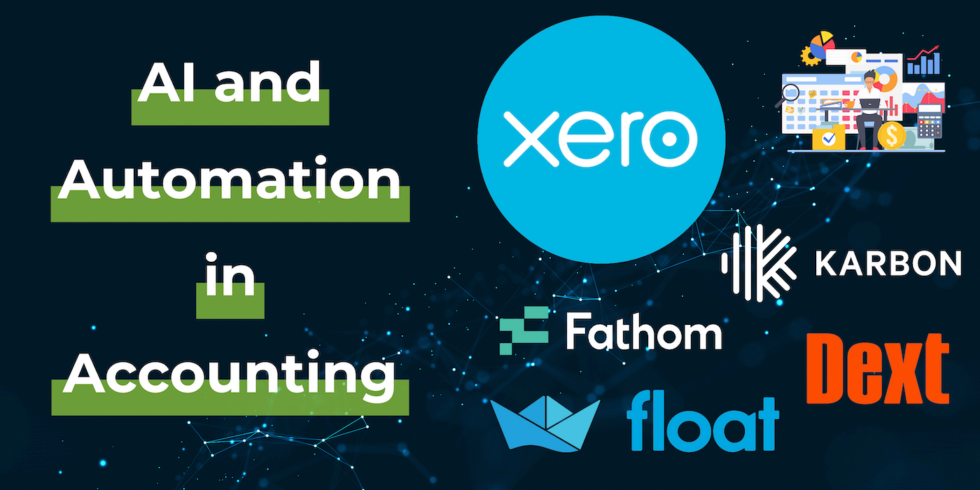
How Automation and AI Are Transforming Modern Accounting Practices in 2026

How Automation and AI Are Transforming Modern Accounting Practices in 2026

The accounting profession has undergone a remarkable transformation over the past decade. What was once a field dominated by manual data entry, paper-based processes, and retrospective analysis has evolved into a technology-driven discipline that leverages automation and artificial intelligence to deliver real-time insights and strategic value. This shift represents not just an incremental improvement, but a fundamental reimagining of how financial data is processed, analysed, and utilised for business decision-making.

The Rise of Automation in Accounting Workflows

Eliminating Routine Manual Tasks

One of the most immediate benefits of automation in accounting is the elimination of repetitive, time-consuming tasks that previously consumed significant portions of an accountant's day. Data entry, invoice processing, and bank reconciliation, tasks that once required hours of manual work, can now be completed in minutes through automated systems.

Modern accounting platforms like Xero and similar cloud-based solutions automatically import bank transactions, categorise them based on predefined rules, and match them to corresponding invoices or bills. This automation not only saves time but also significantly reduces the risk of human error that inevitably occurs with manual data entry.

The time saved through automation allows accounting professionals to focus on higher-value activities such as financial analysis, strategic planning, and advisory services. This shift from data processing to data interpretation represents a fundamental change in the role of accountants within organisations.

Streamlining Document Management

Document management has historically been one of the more tedious aspects of accounting. Receipts, invoices, and other financial documents needed to be physically collected, sorted, organised, and stored. Digital tools like Dext (formerly Receipt Bank) have transformed this process by allowing users to simply photograph receipts with their smartphones.

The software then uses optical character recognition (OCR) technology to extract relevant information such as date, amount, supplier, and category. This data is automatically entered into the accounting system, eliminating manual typing and reducing errors. The original document images are stored digitally, making them easily searchable and accessible when needed for audits or reviews.

This automation extends beyond just receipts. Purchase orders, supplier invoices, and other business documents can all be processed automatically, creating a seamless flow of information from source documents into the accounting system.

Artificial Intelligence in Financial Analysis

Enhancing Accuracy and Compliance

Artificial intelligence brings a new level of sophistication to accounting accuracy and compliance monitoring. Machine learning algorithms can analyse vast amounts of financial data to identify patterns, anomalies, and potential errors that might escape human notice.

Tools like Dext Precision use AI to review accounting records and assign a "health score" that indicates the overall quality and accuracy of the financial data. These systems can flag unusual transactions, identify potential coding errors, and highlight areas that require attention. This proactive approach to quality control helps ensure that financial statements are accurate and compliant with relevant regulations.

The compliance benefits extend beyond just error detection. AI systems can stay updated with changing tax laws and accounting standards, automatically applying new rules and alerting users to areas where their practices may need adjustment. This is particularly valuable in jurisdictions like South Africa, where tax regulations can be complex and subject to frequent updates.

Predictive Analytics and Forecasting

Perhaps the most transformative application of AI in accounting is its ability to analyse historical data and generate predictive insights. Traditional accounting has always been retrospective, telling businesses what happened in the past. AI-powered predictive analytics shifts this paradigm by forecasting future trends and outcomes.

Platforms like Float and Fathom use machine learning algorithms to analyse historical financial data, identify patterns and trends, and generate cash flow forecasts. These forecasts help businesses anticipate future financial positions, plan for capital requirements, and make informed decisions about investments, hiring, and expansion.

The accuracy of these predictions improves over time as the AI systems learn from actual outcomes and refine their models. This continuous improvement means that businesses gain increasingly reliable forecasts that can inform strategic planning and risk management.

Personalised Insights and Recommendations

Modern AI-powered accounting software goes beyond just presenting data, it provides contextualised insights and actionable recommendations. These systems can analyse a business's financial performance, compare it to industry benchmarks, and identify specific opportunities for improvement.

For example, an AI system might notice that a business's payment terms are significantly longer than industry standards, leading to cash flow challenges. It could then recommend adjusting payment terms or implementing early payment discounts to improve cash collection. Similarly, the system might identify cost categories where spending has increased disproportionately and suggest areas for cost control.

These personalised insights transform accounting software from a passive record-keeping tool into an active advisor that helps businesses optimise their financial performance.

Improving Collaboration and Communication

Real-Time Access and Transparency

Cloud-based accounting platforms combined with automation tools have fundamentally changed how accounting teams collaborate with each other and with their clients. Rather than working with static files that are periodically exchanged, all stakeholders can access the same real-time data simultaneously.

This transparency eliminates the confusion that often arises from working with different versions of financial information. When a transaction is recorded or a reconciliation is completed, everyone with appropriate access can see the update immediately. This real-time visibility enables faster decision-making and reduces the back-and-forth communication that was necessary with traditional systems.

Streamlined Client Communication

Workflow management tools like Karbon have revolutionised how accounting firms communicate with their clients. Rather than relying on scattered emails, phone calls, and messages, these platforms provide a centralised hub for all client communication.

Tasks, requests, and updates are tracked systematically, ensuring that nothing falls through the cracks. Clients can see the status of their work in real-time, reducing anxiety and the need for status update requests. Automated notifications keep everyone informed of important milestones and deadlines.

This structured approach to communication not only improves client satisfaction but also increases efficiency within accounting teams. Time that was previously spent managing communication can be redirected to productive work.

Enhanced Workflow Management

AI-powered workflow management systems can analyse team performance, identify bottlenecks, and suggest process improvements. Karbon Intelligence, for example, tracks how long different types of tasks take, identifies where work is getting delayed, and provides insights into team capacity and utilisation.

This data-driven approach to workflow management helps accounting firms optimise their operations, balance workloads, and deliver services more efficiently. Managers can identify training needs, allocate resources more effectively, and set realistic deadlines based on actual performance data rather than estimates.

Considerations and Challenges

Data Security and Privacy

As accounting processes become increasingly digital and automated, data security becomes paramount. Financial information is among the most sensitive data a business possesses, and protecting it from unauthorised access, breaches, and cyber attacks is critical.

Businesses must ensure that the automation and AI tools they adopt have robust security measures in place. This includes encryption of data both in transit and at rest, multi-factor authentication, regular security audits, and compliance with relevant data protection regulations such as South Africa's Protection of Personal Information Act (POPIA).

Privacy considerations extend beyond just security. Businesses need to understand how their data is being used, particularly with AI systems that learn from data patterns. Clear policies around data usage, retention, and sharing are essential.

The Human Element Remains Essential

Whilst automation and AI can handle many routine tasks and provide valuable insights, they cannot replace human judgment and expertise. Complex accounting decisions, interpretation of unusual transactions, and strategic financial planning still require experienced professionals.

The most effective approach combines the efficiency and analytical power of technology with the judgment, creativity, and relationship skills of human accountants. Technology handles the routine work and provides data-driven insights, whilst humans focus on interpretation, strategy, and client relationships.

Continuous Learning and Adaptation

The rapid pace of technological change means that accounting professionals must commit to continuous learning. New tools, features, and capabilities are constantly emerging, and staying current requires ongoing education and adaptation.

Accounting firms and finance departments need to invest in training to ensure their teams can effectively utilise automation and AI tools. This includes not just technical training on how to use the software, but also education on how to interpret AI-generated insights and integrate them into decision-making processes.

The Future of Accounting Technology

Integration and Ecosystem Development

The future of accounting technology lies in increasingly sophisticated integration between different systems. Rather than standalone tools that serve specific purposes, we're moving towards comprehensive ecosystems where data flows seamlessly between accounting, inventory management, customer relationship management, payroll, and other business systems.

This integration creates a unified view of business operations, enabling more holistic analysis and decision-making. API-based architectures and standardised data formats are making these integrations more accessible and reliable.

Natural Language Processing

Emerging AI capabilities in natural language processing are beginning to change how users interact with accounting systems. Rather than navigating through menus and reports, users will increasingly be able to simply ask questions in plain language and receive immediate answers.

For example, a business owner might ask, "What was my gross profit margin last quarter compared to the same period last year?" and receive an instant response with relevant visualisations. This conversational interface makes financial data more accessible to non-accountants and enables faster decision-making.

Blockchain and Distributed Ledgers

Blockchain technology, whilst still in relatively early stages of adoption in accounting, holds promise for enhancing transparency, security, and efficiency. Distributed ledger systems could provide immutable audit trails, streamline multi-party transactions, and reduce reconciliation requirements.

As this technology matures and becomes more practical for everyday business use, it may fundamentally change how financial transactions are recorded and verified.

Book a Consultation

If you're interested in exploring how automation and AI could transform your accounting processes and provide deeper insights into your business performance, we invite you to book a consultation with our team.

Understanding Cin7 Core (Dear Systems): A Comprehensive Guide to Modern Inventory Management Solutions

Understanding Cin7 Core (Dear Systems): A Comprehensive Guide to Modern Inventory Management Solutions

Efficient inventory management remains one of the most critical challenges facing businesses in 2026. With the evolution of cloud-based platforms, companies now have access to sophisticated tools that transform how they track stock, manage orders, and maintain financial accuracy. Cin7 Core, formerly known as Dear Systems, has emerged as a leading solution in this space, particularly for businesses seeking seamless integration with their accounting systems.

What Makes Cin7 Core Stand Out in Inventory Management

Seamless Integration with Accounting Platforms

One of the most significant advantages of Cin7 Core is its native integration with Xero, the popular cloud-based accounting software. This integration eliminates the need for manual data entry between systems, reducing human error and providing real-time visibility into financial data. When inventory movements occur, the corresponding financial transactions automatically flow through to the accounting system, ensuring that stock values and cost of goods sold remain accurate.

This level of integration means that businesses can maintain a single source of truth for their financial and operational data, rather than reconciling information across multiple disconnected systems.

Advanced Real-Time Inventory Tracking

Modern businesses often operate across multiple locations, whether that's physical warehouses, retail stores, or third-party logistics providers. Cin7 Core addresses this complexity by offering real-time inventory tracking across all locations simultaneously.

Business owners and managers can instantly see stock levels, identify which products are moving quickly, and spot potential stockouts before they impact customer service. This visibility extends to tracking inventory through the entire supply chain, from purchase orders through to final sale.

Customisable Workflows for Diverse Business Needs

Every business operates differently, and inventory management software needs to reflect those unique processes. Cin7 Core offers extensive customisation options that allow businesses to configure workflows that match their specific requirements.

Whether it's setting up automated replenishment rules based on minimum stock levels, creating custom pricing tiers for different customer segments, or defining specific approval processes for purchase orders, the platform provides the flexibility needed to support various business models. This adaptability makes it suitable for businesses ranging from wholesale distributors to e-commerce retailers and manufacturers.

Robust Reporting and Analytics Capabilities

Data-driven decision-making has become essential for business success. Cin7 Core provides comprehensive reporting tools that transform raw inventory data into actionable insights. Users can analyse inventory performance, identify slow-moving stock, track sales trends, and monitor supplier performance.

These analytics help businesses optimise their inventory investment by identifying which products generate the best returns, which suppliers provide the most reliable service, and where operational bottlenecks exist. The ability to forecast demand based on historical data also helps businesses plan more effectively for seasonal fluctuations and growth.

Comparing Inventory Management Solutions

Alternative Platforms in the Market

Whilst Cin7 Core has established itself as a robust solution, businesses evaluating inventory management systems should be aware of other options available. Platforms such as Unleashed, Fishbowl, and TradeGecko (now QuickBooks Commerce) each offer their own strengths and features.

Unleashed, for example, provides strong manufacturing capabilities and also integrates well with Xero. Fishbowl has traditionally been popular with businesses that started on desktop systems and are transitioning to cloud-based solutions. TradeGecko, before its acquisition by Intuit, was known for its e-commerce integrations.

Key Considerations When Choosing Inventory Software

When evaluating inventory management platforms, businesses should consider several factors beyond just features and pricing. The ease of use for staff members who will interact with the system daily is crucial, as complex systems can lead to errors and resistance to adoption.

Integration capabilities extend beyond just accounting software. Modern businesses often use multiple systems for e-commerce, point of sale, shipping, and customer relationship management. The ability of inventory software to connect with these other platforms can significantly impact operational efficiency.

Scalability is another important consideration. A solution that works well for a business with 100 SKUs and one location may struggle when that business grows to 10,000 SKUs across multiple warehouses. Understanding the platform's limitations and growth capacity helps avoid costly migrations in the future.

The Evolution of Inventory Management Technology

From Manual Systems to Cloud-Based Solutions

The journey from manual stock cards and spreadsheets to sophisticated cloud-based inventory management represents a fundamental shift in how businesses operate. Traditional methods required significant manual effort, were prone to errors, and provided limited visibility into real-time stock positions.

Cloud-based solutions have eliminated many of these challenges by automating routine tasks, providing instant access to data from anywhere, and enabling collaboration across teams and locations. The shift to cloud technology has been particularly beneficial for businesses with remote teams or multiple locations.

Integration with Broader Business Systems

Modern inventory management no longer exists in isolation. The most effective implementations connect inventory data with financial systems, e-commerce platforms, shipping providers, and business intelligence tools. This interconnected approach provides a holistic view of business operations and enables more sophisticated analysis.

For example, connecting inventory data with customer relationship management systems allows businesses to identify which customers purchase which products, enabling more targeted marketing and better demand forecasting. Integration with shipping providers automates the fulfilment process and provides customers with real-time tracking information.

Best Practices for Inventory Management Implementation

Planning for Successful Adoption

Implementing new inventory management software requires careful planning and preparation. Businesses should begin by documenting their current processes, identifying pain points, and defining clear objectives for what they want to achieve with the new system.

Data migration is often one of the most challenging aspects of implementation. Ensuring that product information, stock levels, supplier details, and historical data are accurately transferred to the new system requires meticulous attention to detail. Many businesses choose to clean up their data before migration, removing obsolete products and correcting errors.

Training and Change Management

Even the most sophisticated software will fail if users don't understand how to use it effectively. Comprehensive training for all staff members who will interact with the system is essential. This training should cover not just the technical aspects of using the software, but also the business processes and workflows that the system supports.

Change management is equally important. Staff members who have used previous systems for years may resist adopting new tools. Communicating the benefits of the new system, involving key users in the implementation process, and providing ongoing support can help overcome this resistance.

Ongoing Optimisation and Review

Inventory management is not a "set and forget" process. Businesses should regularly review their inventory performance, identify areas for improvement, and adjust their processes accordingly. This might involve refining reorder points based on actual demand patterns, adjusting safety stock levels, or renegotiating supplier terms based on performance data.

Regular system audits help ensure that the software configuration still aligns with current business needs. As businesses grow and evolve, their inventory management requirements change, and the system should be updated to reflect these changes.

The Future of Inventory Management

Emerging Technologies and Trends

The inventory management landscape continues to evolve with emerging technologies. Artificial intelligence and machine learning are increasingly being incorporated into inventory systems to provide more accurate demand forecasting and automated decision-making.

Internet of Things (IoT) devices, such as smart shelves and RFID tags, are enabling even more precise real-time tracking of inventory. These technologies can automatically update stock levels as products move through the supply chain, reducing the need for manual stock counts.

Blockchain technology is also being explored for supply chain transparency, particularly for businesses that need to verify the provenance of products or ensure compliance with regulations.

The Growing Importance of Sustainability

Sustainability considerations are becoming increasingly important in inventory management. Businesses are looking for ways to reduce waste, optimise packaging, and minimise the environmental impact of their supply chains. Inventory management systems that provide visibility into these metrics and help businesses make more sustainable choices are likely to become more prevalent.

Book a Consultation

If you're looking to optimise your inventory management processes or explore how modern cloud-based solutions could benefit your business, we invite you to book a consultation with our team.